
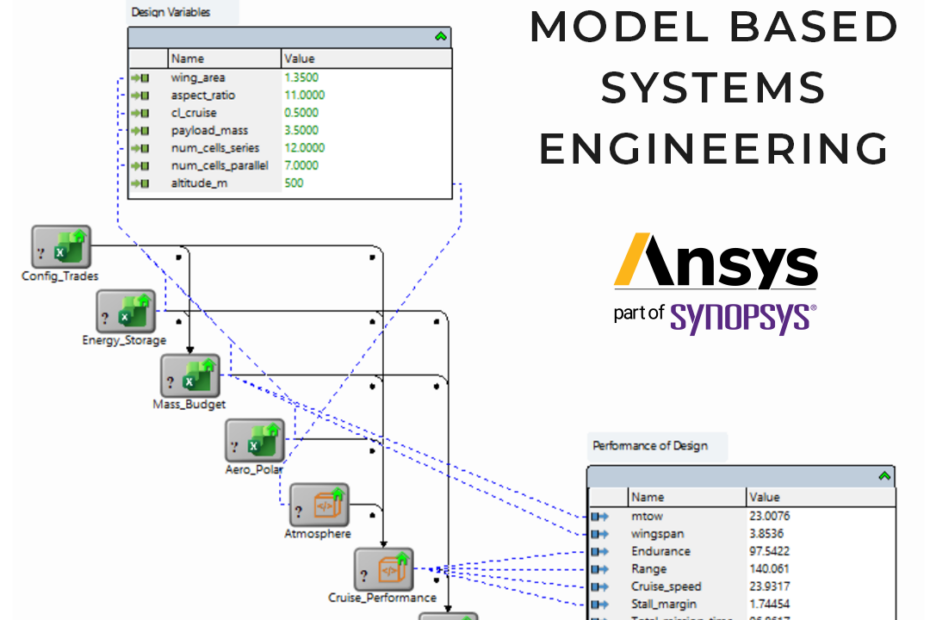
Engineers spend a surprising amount of time keeping information consistent. When a requirement changes, then someone has to work out which calculations, drawings and test plans are affected. A component is swapped, and the BOM, the CAD models and the compliance matrix all need updating. It is engineering work, but it’s manual, easy to get wrong, and hard to trace afterwards. When something is missed it usually only shows up late, during unit or system integration, where it is both expensive to fix and delays testing and production schedules.
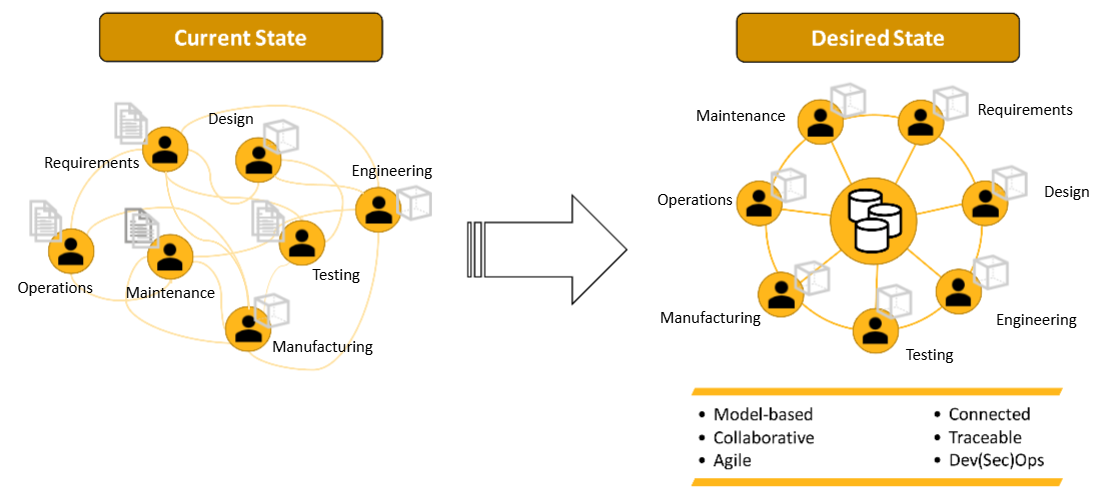
Model Based Systems Engineering, or MBSE, is a way of avoiding that. Rather than describing a product across a set of separate documents, MBSE captures it in one connected model. What the product must do, what it is made of, and how the various pieces should interact. It also captures stakeholder needs and requirements, which can be linked directly to various system elements. Because everything is linked, a change to a requirement or a part of the model is automatically propagated across your systems. You can ask which requirements a component has to meet, or what a design change affects, questions that are usually prone to error when relying on a folder of documents or email chains.
This is also a natural extension of the product data foundations many organisations already have. Windchill manages the product and change process, and Codebeamer manages requirements and test through the lifecycle. A system model works alongside these data foundations, describing how the product is meant to work.
Ansys have two tools which aid engineers when implementing MBSE workflows, Ansys SAM and Ansys ModelCenter.
Ansys SAM is where the system model gets built. It uses SysML v2 to capture requirements, architecture and behaviour all in one place, so the requirements, the block diagrams and the behaviour of the system are linked together in the same model instead of living in separate documents. The example used in this post is a small fixed-wing electric UAV, at the concept stage, where the requirements constrain the design space and the engineering team are still determining what they should design to meet them.
The starting point is the requirements. These are brought in from Codebeamer so they exist in SAM as model elements that can be traced during the products lifecycle. From there, the architecture of the design is laid out (propulsion, power, flight control, airframe, comms) and the requirements are allocated to the parts of the system that need to meet them. Different candidate configurations, like deciding between fixed wing or VTOL, can be checked against the same set of requirements, and as things change the status is pushed back to Codebeamer so the requirements there stay current.
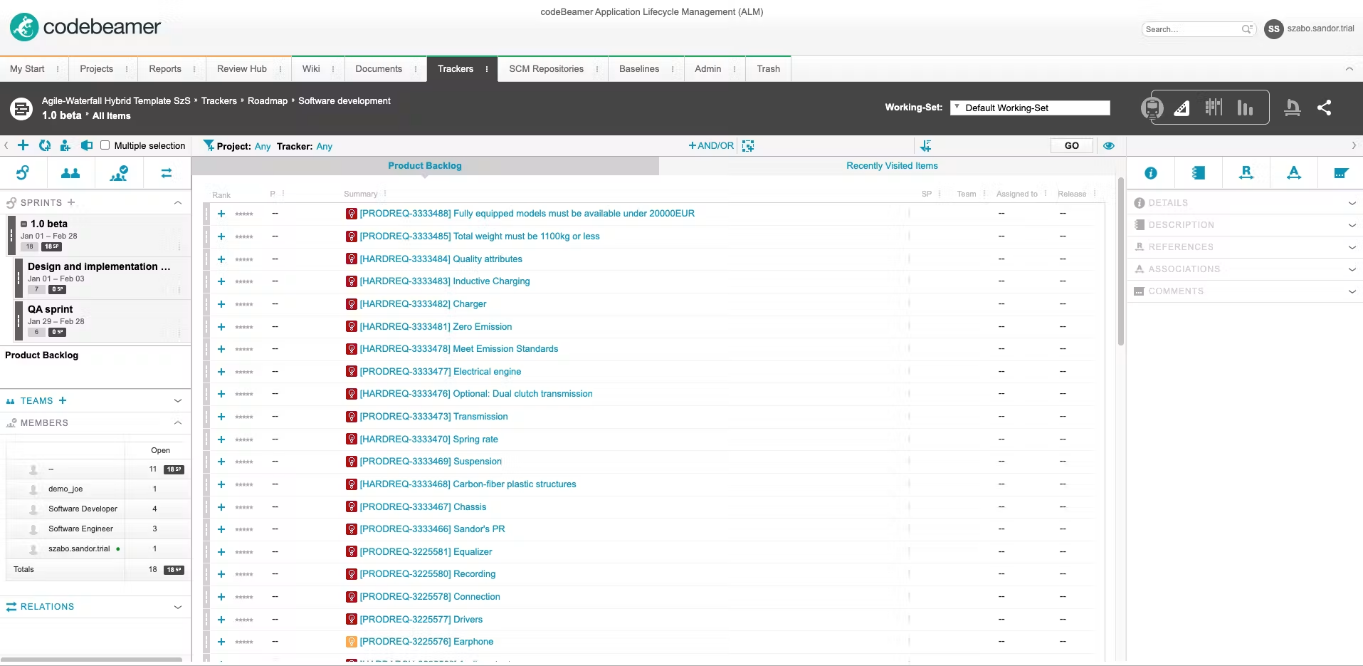
Here SAM shows its value, not only as a systems engineering tool, but also in its ability to seamlessly connect and interface with ALM systems allowing you mange requirements alongside your evolving model. If the endurance requirement changes in Codebeamer, the model shows what it affects, whether that is battery mass, wing loading, or the launch method. The SAM model then becomes the reference for the rest of the toolchain, so when the team moves into detailed design and simulation the decisions behind the design are traceable all the way back to the original requirements.
Ansys ModelCenter connects a team’s existing tools, from spreadsheets and in-house scripts to Ansys solvers or third-party CAE, all into integrated workflows. Each tool is wrapped, with its inputs and outputs exposed, and then chained together. For the UAV this might be a sizing spreadsheet feeding a mission performance script, which then feeds an aerodynamic model, with the results collected at the end. The team keeps working in the tools they already know, and ModelCenter handles the passing of data between them.
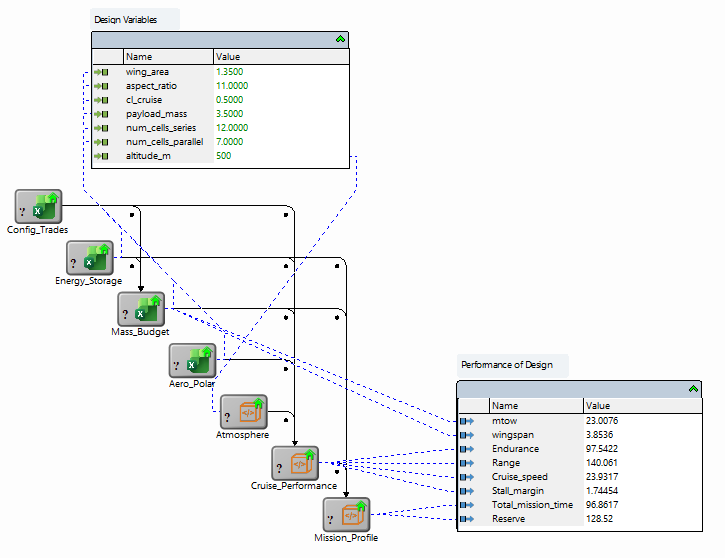
These workflows can then be directly tied to the system model built in SAM. Parameters in the model, such as wing area or battery capacity, are mapped to the inputs of the workflow, and the outputs are mapped back to the requirements they are meant to verify. Each workflow can be further linked to specific requirements, so design teams can maintain traceability on why and how design decisions were made. Running a design of experiments or an optimisation across the workflow then becomes a way of exploring the design space, with every run checked against the requirements as it goes.
Months later, the question of why a specific configuration was chosen has an answer that can be reviewed at a glance. The workflow, the inputs used, the results and the requirements they were checked against are all still there and linked. This matters at concept stage because most of the configurations looked at will be discarded, and without a record it is easy to end up revisiting the same options or forgetting why one was ruled out. See the video below for a look at how Ansys ModelCenter can aid early design space exploration.
The same approach carries into the detailed design phase. The workflows stay connected to the same model and the same requirements, but now with components inside replaced by higher-fidelity analysis. In the below example, we now run a parametric study of our UAV’s fixed wing, using both Ansys Fluent and Ansys Mechanical. Whilst Ansys tools have been used for this analysis, any vendor toolset is compatible with ModelCenter. The decisions made early against fast approximations are confirmed with real physics and detailed solvers, and the traceability is maintained, from concept through to detailed design.
A system model is useful on its own, but it becomes considerably more so once it is driving the analysis that supports it, and once the decisions made along the way are recorded as part of the design.
If you would like to learn more about Ansys SAM and ModelCenter, or to see how they would fit alongside the tools your team already uses, reach out to speak with the team.