

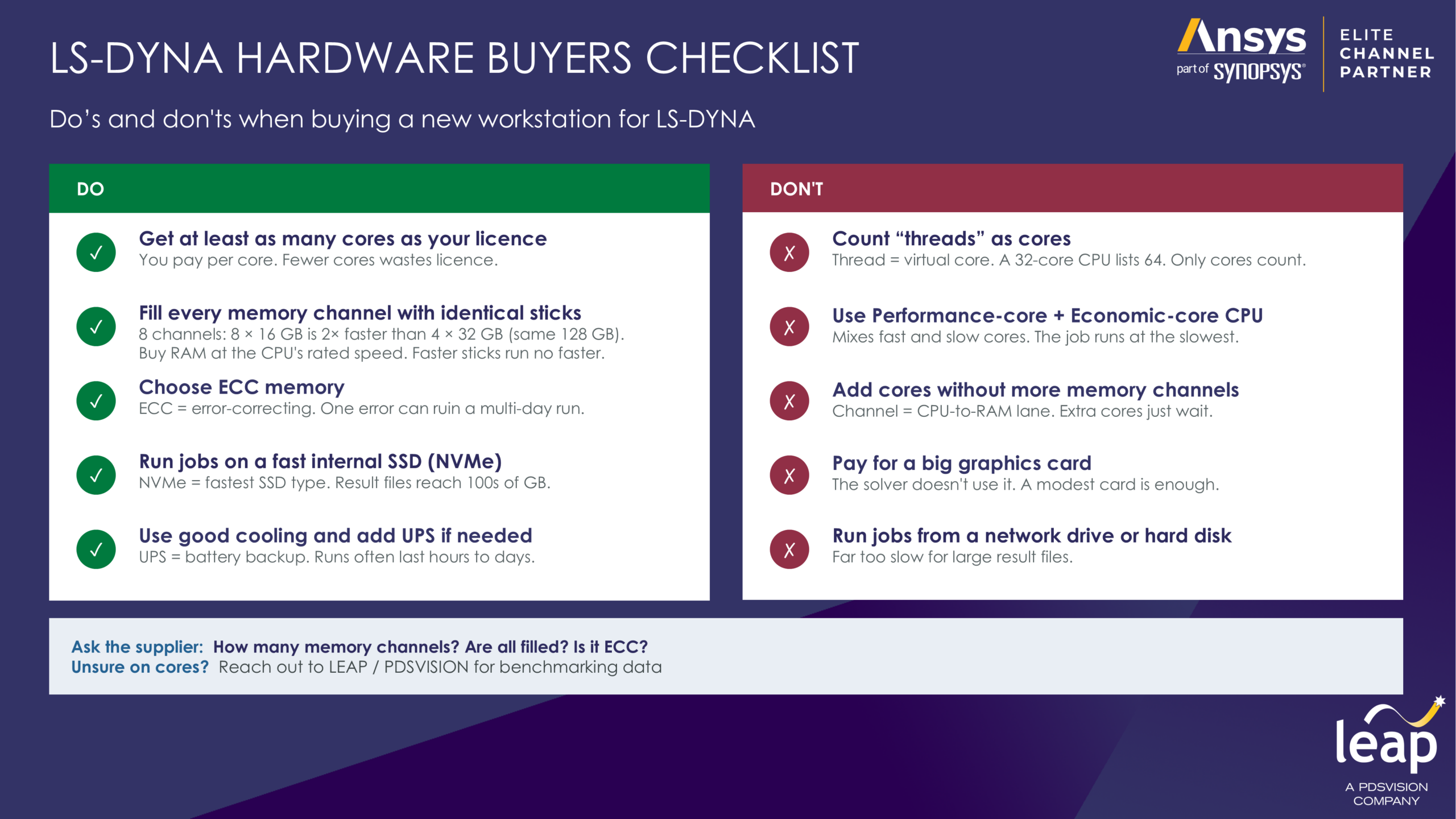
Do:
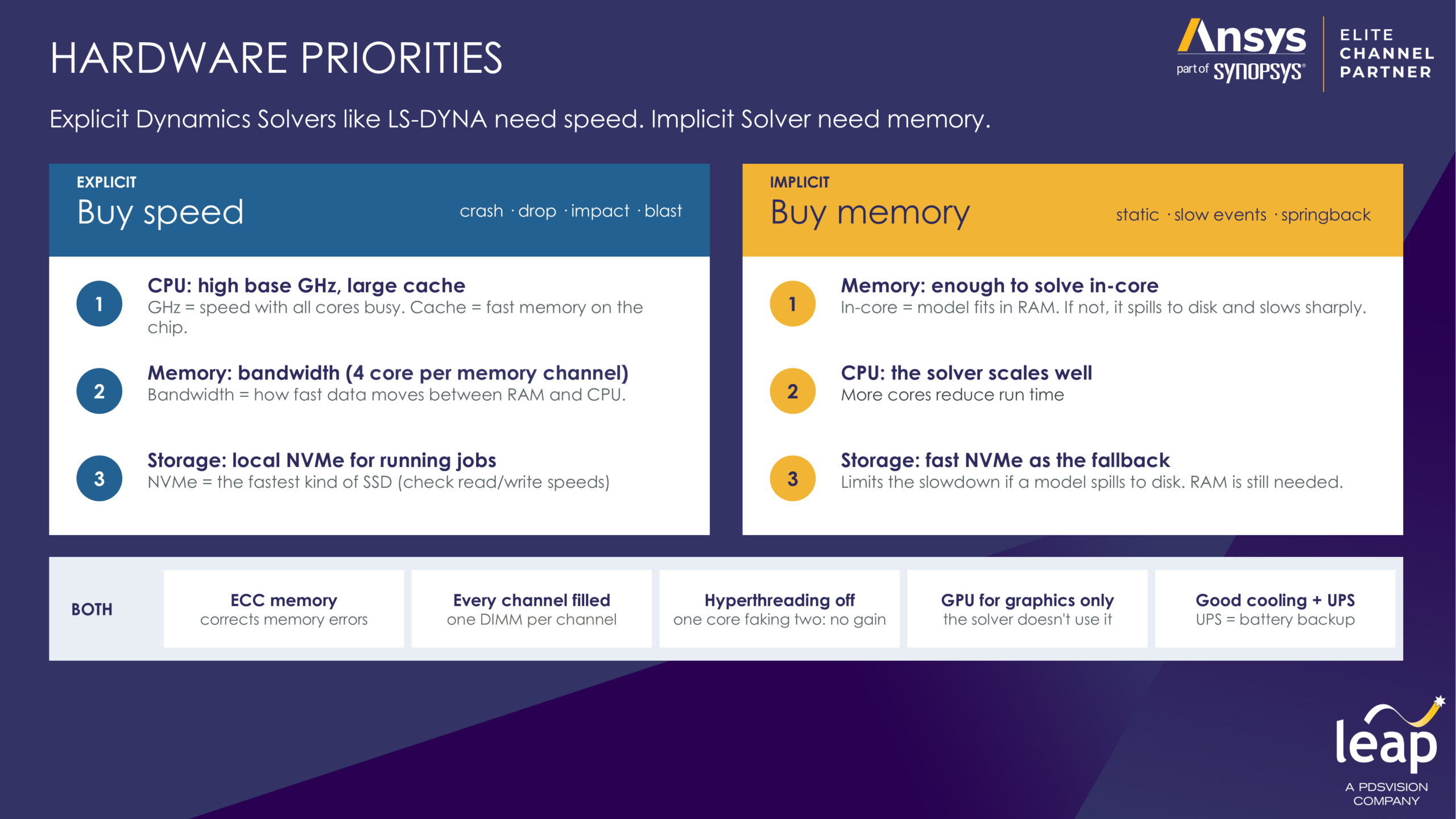
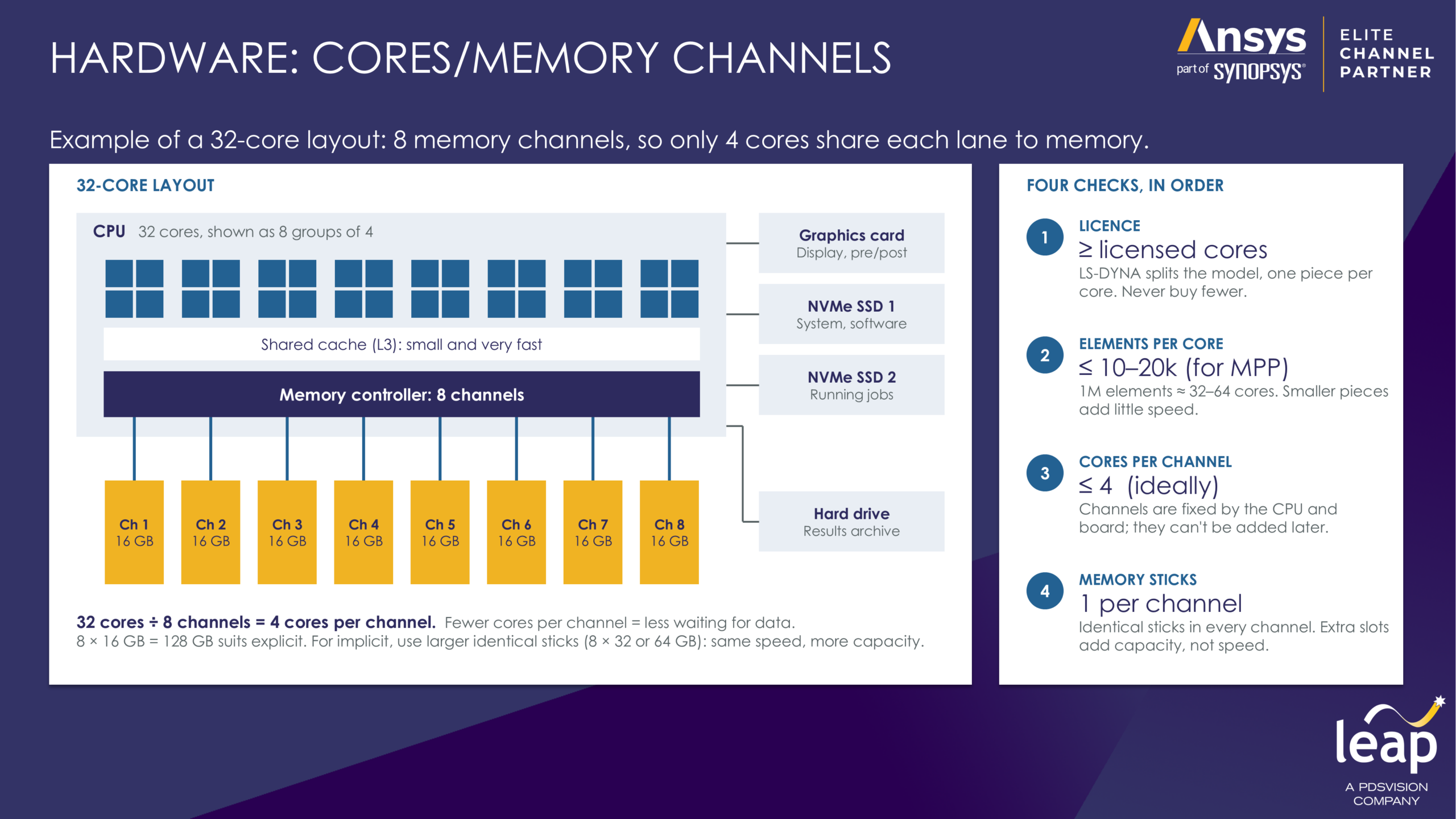
 Match the licence. Get at least as many physical cores as you are licensed for. Fill every memory channel with identical stick. On an eight-channel CPU, 8 × 16 GB is about twice as fast as 4 × 32 GB, even though both give 128 GB. Buy RAM at the CPU’s rated speed; faster sticks won’t run any faster. Choose ECC memory. It corrects memory errors, and a single error can ruin a run lasting several days. Run jobs with a fast internal NVMe drive. Result files can reach hundreds of gigabytes. Plan for long runs. Use good cooling, and add a UPS if power interruptions are a risk.
Don’t:
 Count threads as cores. A 32-core CPU often lists 64 threads; only the physical cores count. Choose CPUs that mix performance and efficiency cores. LS-DYNA runs at the pace of the slowest core. Add cores without adding memory channels. The extra cores mostly wait for data. Overspend on the graphics card. For most LS-DYNA work a modest card is enough. Run jobs from a network drive or spinning hard disk. They are far too slow for large result files; keep those for archiving.
Three questions are worth asking any supplier: how many memory channels does the system have, are they all filled, and is the memory ECC?
Final thoughts
The right workstation for Ansys LS-DYNA usage is a balanced one, not simply the most expensive. If you’re unsure how many cores your models need, we advise testing a representative benchmark model at increasing core counts to develop a reliable guide to scalable performance. At LEAP, now part of PDSVISION, our Explicit Dynamics team has extensive experience in this area and we’re happy to help you with benchmarking models that will help you arrive at the right hardware choice. You can reach out to us here.